New Hushblock for Mac and Windows

Block distractions. Do your best work.

Hushblock blocks the apps and websites that steal your time, runs a focus timer that actually blocks, and shows where your hours really go. Free to start, set up in a minute.

Free · Windows 10 & 11 · macOS 11+ · Browser extension for Chrome, Edge & Firefox

Hushblock
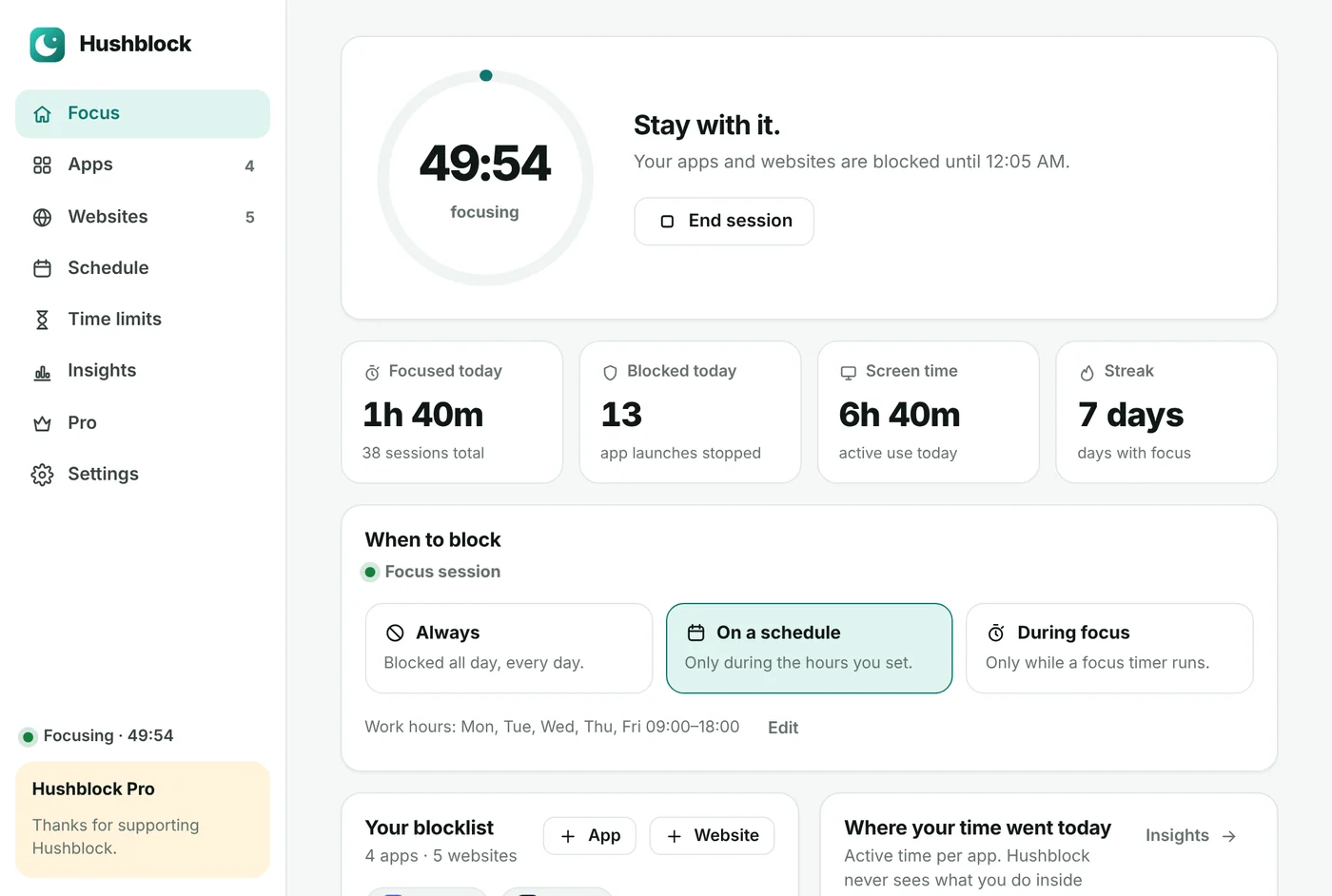
Hushblock for Windows: focus timer, today's stats and blocking mode
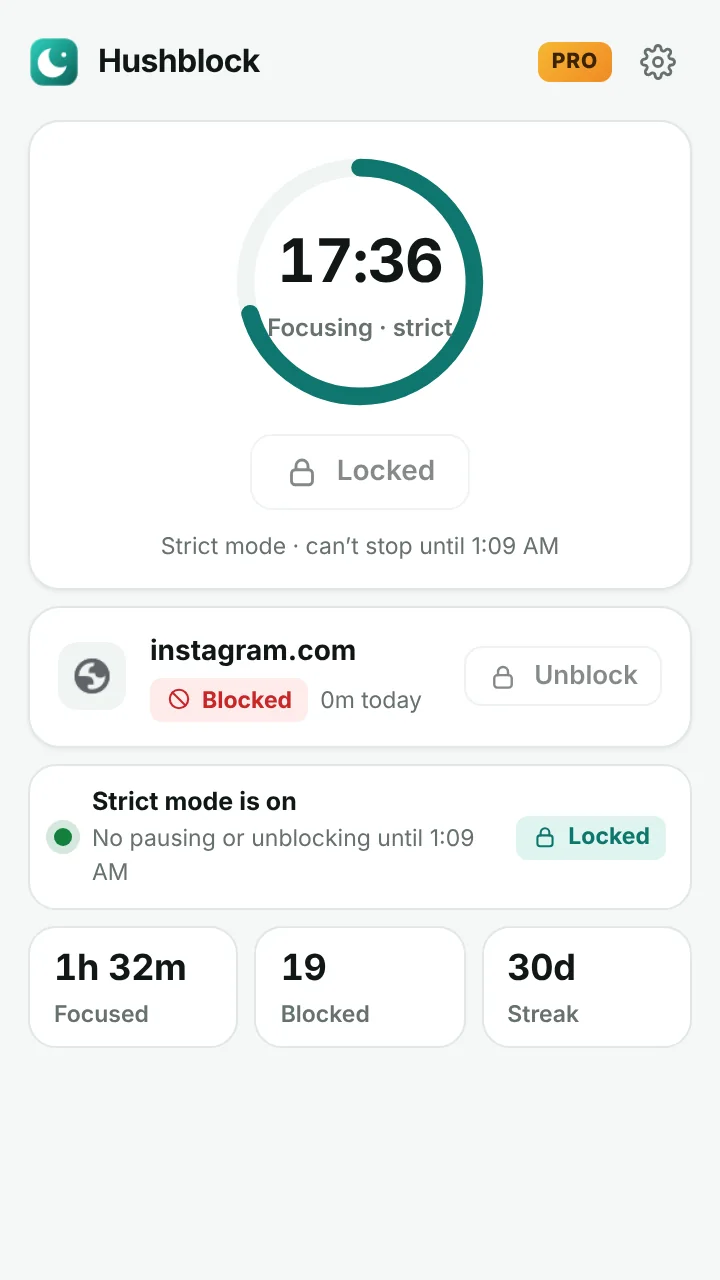
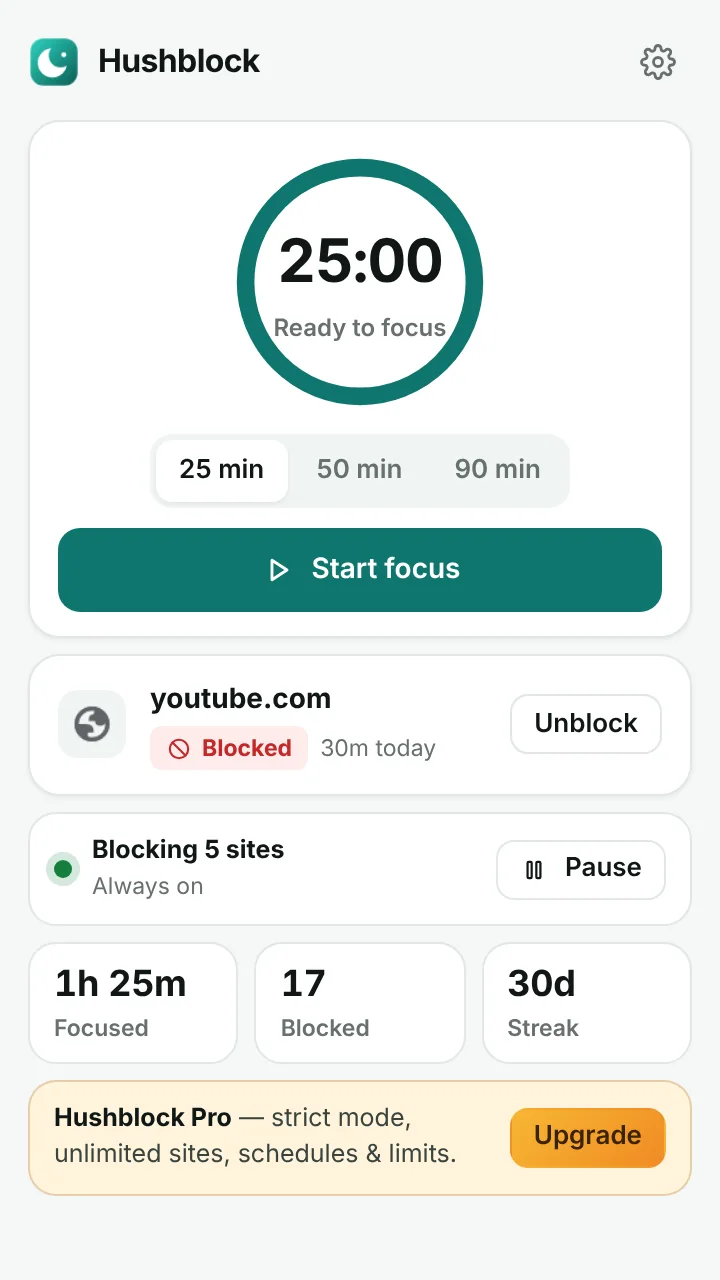
Hushblock browser extension popup with focus timer

Get Hushblock

Pick where you want to focus. One Pro license works on all of them — up to 3 devices.

Available now

Windows app

Blocks apps and websites on your whole PC — Steam, Discord, games, YouTube, TikTok. Lives in the tray.

Download for Windows What’s inside →
Available now

Browser extension

Website blocker with a calm block page and focus timer. Works on Windows, Mac and Linux.

Chrome Web Store version is coming soon.
New

Mac app

Blocks apps and websites on your Mac — games, Discord, Telegram, YouTube. Lives in the menu bar. macOS 11+.

Download for Mac First launch help →

Everything you need to stay on task

No complicated setup. Pick your distractions, choose when to block them, and get back to work.

Block apps and sites

Steam, Discord and games on Windows; YouTube, Instagram, TikTok, Reddit, X in every browser — or just YouTube Shorts in the extension.

Focus timer that blocks

Start a 25, 50 or 90-minute Pomodoro session. Your list stays blocked until the timer ends, then take a break.

Schedules

Block distractions automatically during work or study hours — and wind down at night.

Daily time limits

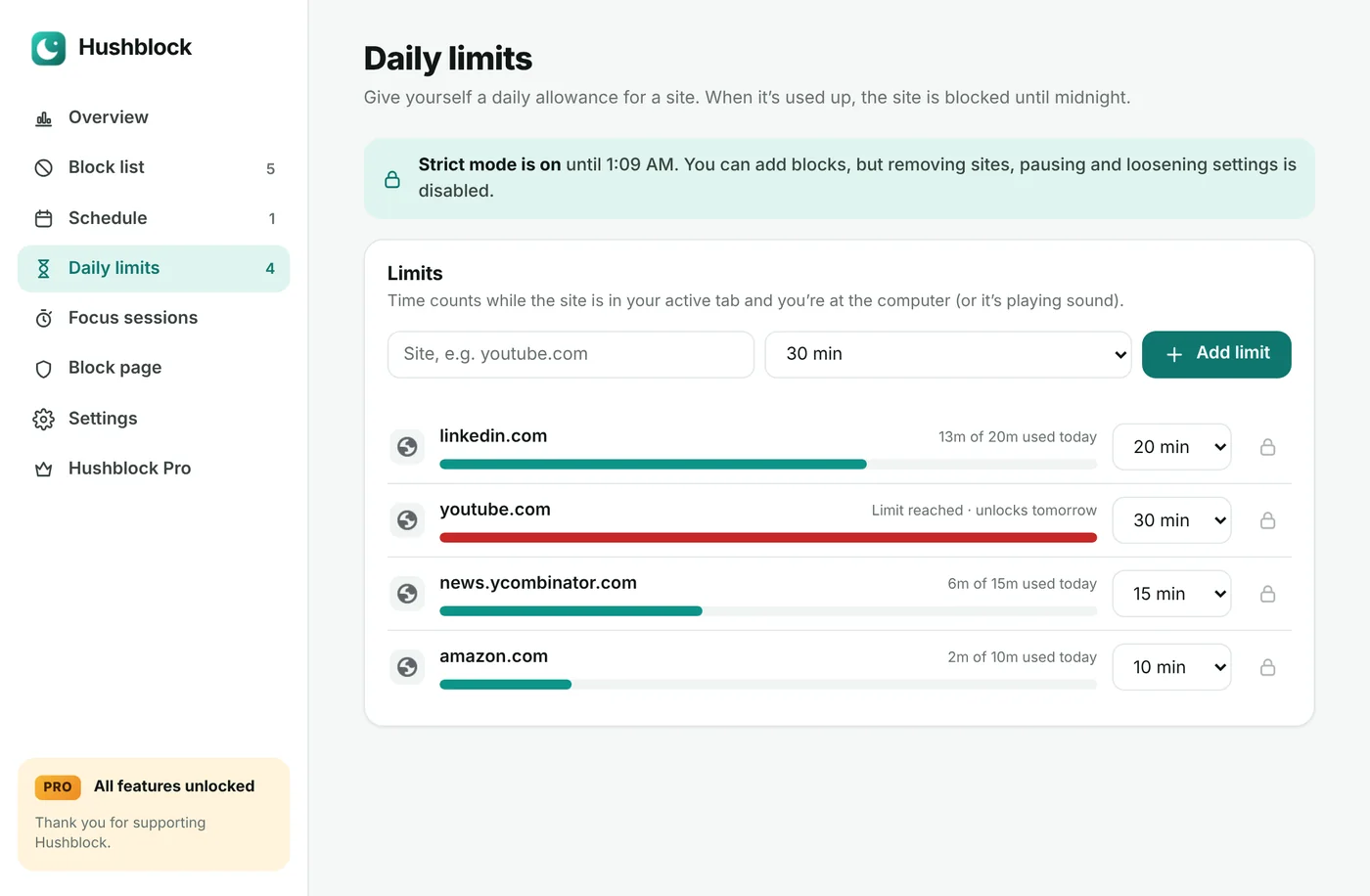
Allow 20 minutes of a site a day. When it’s used up, it’s blocked until tomorrow.

Real insights

Focus minutes, streaks, blocked visits and time per website — see your progress every day.

Private by design

Your lists and stats stay on your device. No tracking, no ads. An account is only needed to use Pro on several devices.

A focus timer that actually blocks

Most timers just count down. Hushblock turns your block list on for the whole session, shows the minutes left right on the toolbar icon, and starts your break automatically.

  • 25 / 50 / 90-minute sessions, or your own length
  • Keyboard shortcut Alt+Shift+F
  • Daily focus streaks
Focus session in progress in the Hushblock popup

See where your time really goes

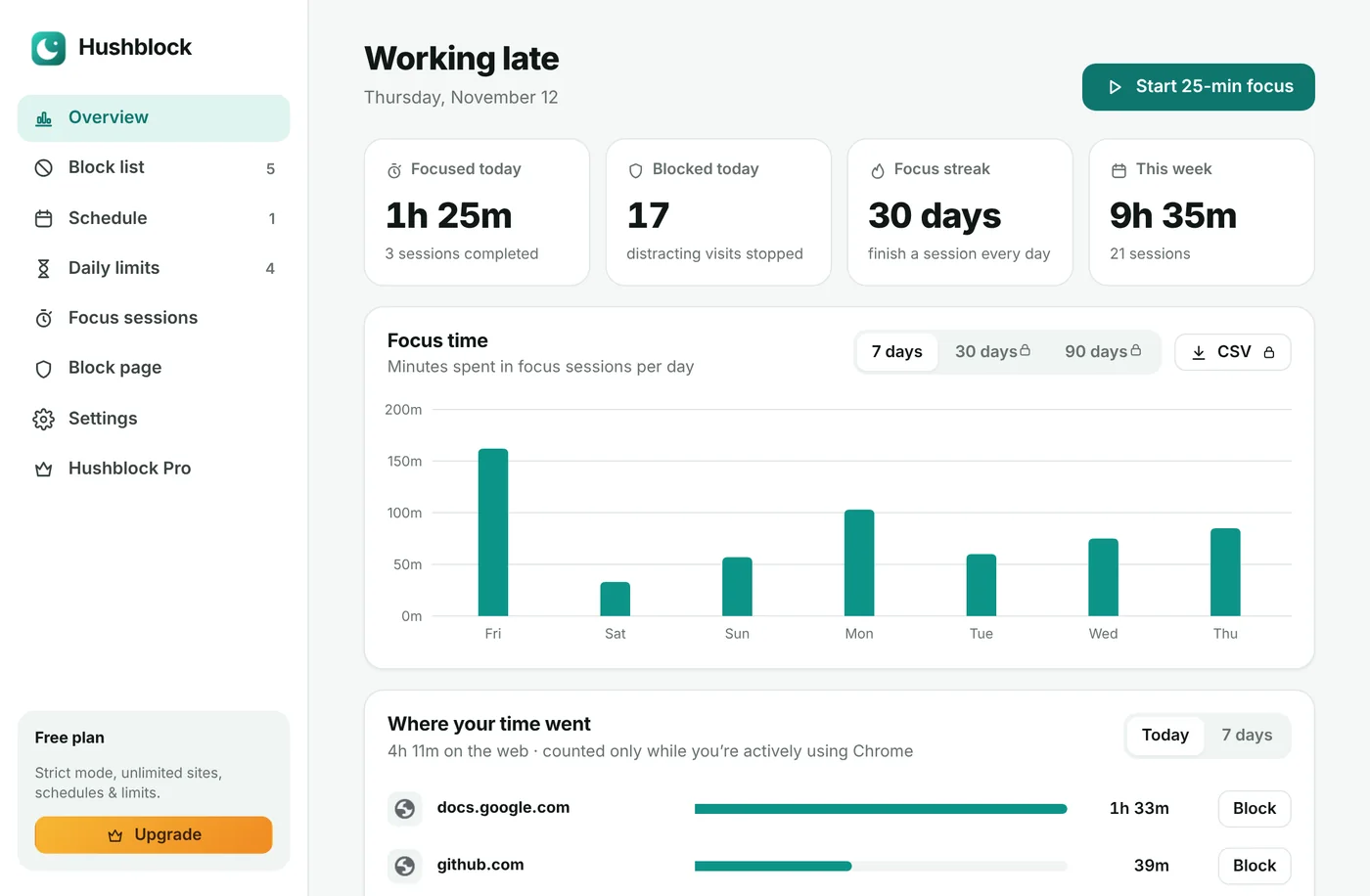
Hushblock measures time only while you actively use Chrome, so the numbers are honest. Spot your biggest time sink and block it with one click.

  • Focus time per day
  • Top websites today or this week
  • Distractions blocked
Hushblock dashboard with focus chart and top websites

Set the rules once. Focus on autopilot.

Block sites during work hours, give yourself a daily allowance for the rest, and let Hushblock handle the willpower.

  • Weekday focus hours and overnight wind-down
  • Daily limits that reset at midnight
  • Optional “let me in” with a breathing pause
Daily time limits in Hushblock
Pro

Strict mode for when you mean it

For deadlines, exams and deep work. No stopping early, no pausing, no “just five minutes”.

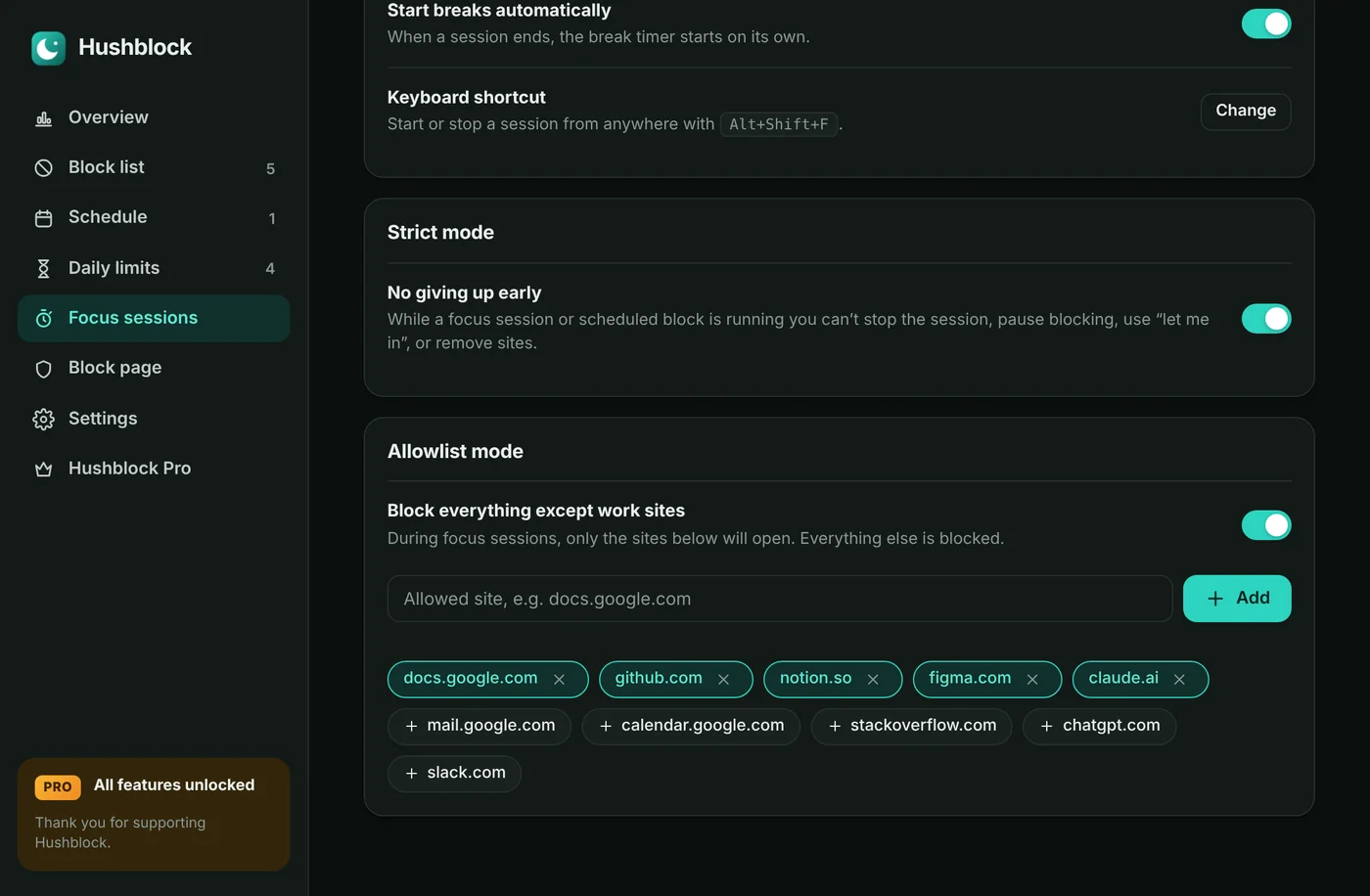
  • Strict mode — can’t stop sessions or unblock early
  • Allowlist mode — only work sites open while you focus
  • Keyword blocking and password protection
  • Unlimited sites, schedules and daily limits
  • 90-day history and CSV export
Strict mode and allowlist settings in Hushblock Pro

Simple pricing

Hushblock is free forever for the essentials. Go Pro when you’re ready to get serious — try it free for 7 days inside the extension.

Free

$0
  • Block up to 5 sites (and 3 apps on Windows)
  • Unlimited focus sessions
  • 1 schedule
  • 7 days of stats
Download free

Pro yearly

$29.99 / year

That’s about $2.50 a month.

  • Everything in Free
  • Windows & Mac apps + extension, 3 devices
  • Strict mode & allowlist mode
  • Unlimited sites, schedules, limits
  • Keywords, password, 90-day history
Get Pro yearly

Pro monthly

$4.99 / month

Cancel anytime.

  • Everything in Pro
  • Billed monthly
  • Cancel anytime
Get Pro monthly

Prices include tax. Try Pro free for 7 days inside the app or extension — no card needed. After paying, sign in with the same email and Pro turns on everywhere. Payments are handled by Dodo Payments, our Merchant of Record.

New Hushblock for Windows & Mac

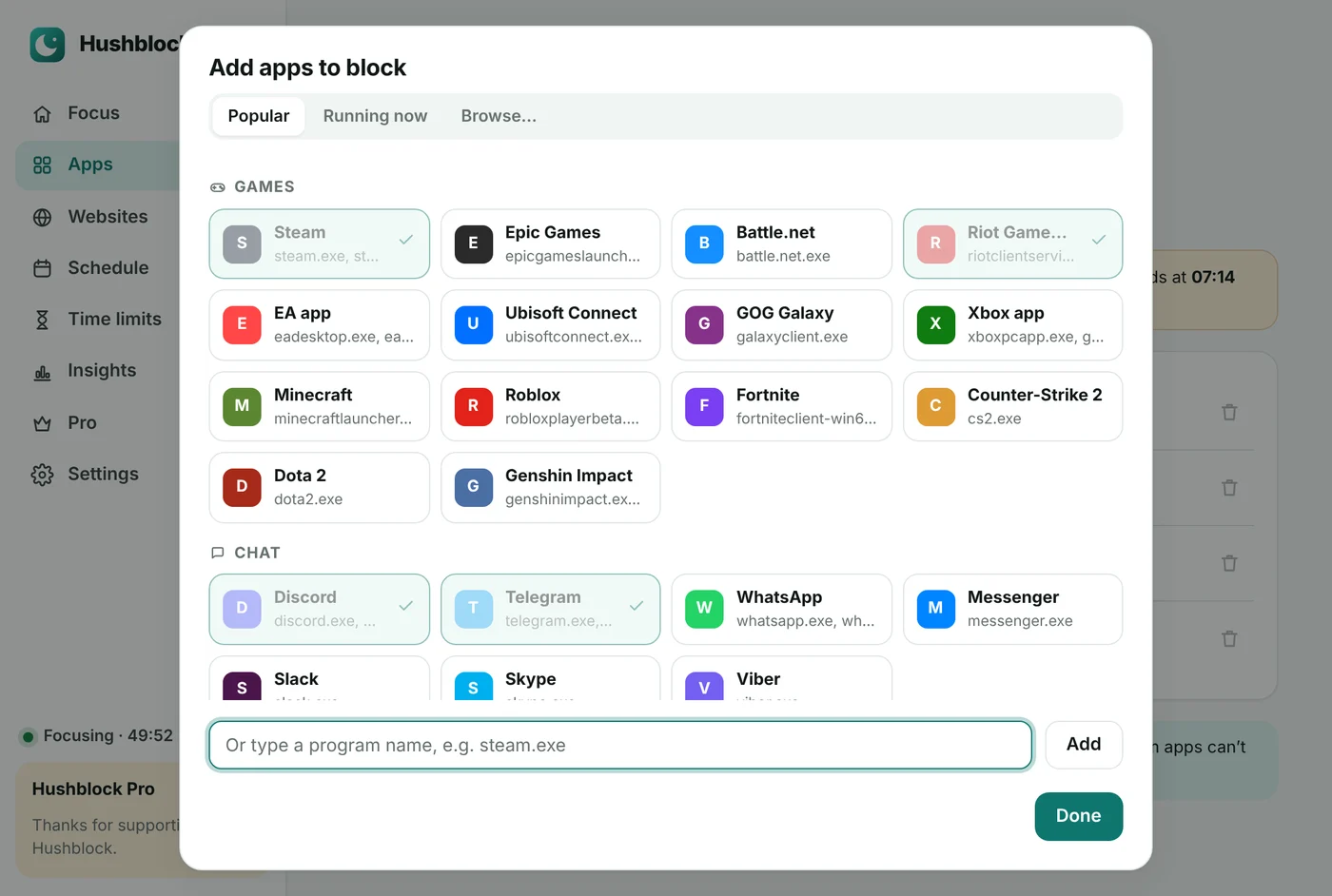
Block apps too — not just websites

Steam, Discord, Telegram, games and launchers close the moment they open. Websites are blocked in every browser on your computer. Same focus timer, schedules and Pro license.

  • Blocks any program on Windows and Mac
  • Daily time limits and strict mode
  • Same account and Pro license everywhere
Choosing apps to block in Hushblock for Windows

Questions

Which version should I use?

On a Windows PC, download the Windows app; on a Mac, the Mac app. Both block apps and websites everywhere. On a Chromebook or a computer where you can’t install apps, use the browser extension. You can use both; one Pro license covers up to 3 devices.

Is Hushblock really free?

Yes. Blocking up to 5 sites, unlimited focus sessions, one schedule, one daily limit and a week of stats are free forever. Pro unlocks strict mode, unlimited blocking and more.

Does Hushblock see or sell my browsing data?

No. Your block list, browsing time and statistics are stored only in your browser. Hushblock has no servers that receive this data, and there are no ads or analytics. Read the privacy policy.

Can I block only YouTube Shorts?

Yes. Add youtube.com/shorts to your block list — the rest of YouTube keeps working.

What happens when I try to open a blocked site?

You’ll see a calm block page with a short motivational line and your progress for today. If you allow it, you can get in for a few minutes after a short breathing pause — unless strict mode is on.

Can I stop myself from turning it off?

With Pro, strict mode locks your session: no stopping early, no pausing, no unblocking. You can also protect your settings with a password — ask a friend to set it.

How do I cancel Pro?

Open the extension’s Settings → Your plan → Manage subscription, or go straight to the customer portal and sign in with the email you used to pay. You keep Pro until the end of the period you paid for.

I bought Pro — how do I activate it?

If Hushblock is installed in the browser you paid in, Pro switches on by itself. Otherwise sign in to your account with the email you paid with and press Activate for your device — or paste the license key from your receipt email in Hushblock → Pro. One key works on up to 3 devices.

Which browsers does the extension work in?

Microsoft Edge and Firefox — install it from the Edge Add-ons or Firefox Add-ons store. The Chrome Web Store version (also for Brave, Arc and Opera) is coming soon. The Windows and Mac apps block websites in every browser, including Safari.

Your focus, back in 30 seconds.